Skin tone accuracy is the ultimate litmus test for any professional color grading project. Achieving truly perfect skin tones used to require hours of tedious keying, checking the vectorscope, and manual correction. This article introduces the revolutionary SkinMatch DCTL,a specialized DCTL tool that transforms this complex process into a simple, precise, and fast step. We will delve into why this advanced DCTL is essential for colorists and filmmakers, how it provides non-destructive skin tone correction, and how you can get started with a free demo to instantly elevate your grading workflow within DaVinci Resolve.
1. What is a DCTL and Why is Skin Tone the Ultimate Grading Challenge?
The foundation of professional post-production lies in meticulous control over color values, and nothing betrays a poor grading job faster than inaccurate skin tone. Skin tone is the element audiences are biologically tuned to assess, making its correction the most critical challenge for colorists and filmmakers. Achieving a natural, consistent color on skin requires isolating specific hue and saturation ranges without affecting the background, a task that often demands complex keying and delicate balance on the vectorscope.
A DCTL (DaVinci Color Transform Language) offers a mathematically precise solution. A DCTL is a scripting language used within DaVinci Resolve by Blackmagic to perform custom, non-destructive color correction. Unlike static LUTs, a DCTL uses code to process the image, allowing for dynamic and superior adjustments. Our SkinMatch DCTL leverages this power to specifically target and perfect the most sensitive part of the image, making complex tasks instantaneous.
2. How Does SkinMatch DCTL Provide Perfect Skin Tones?
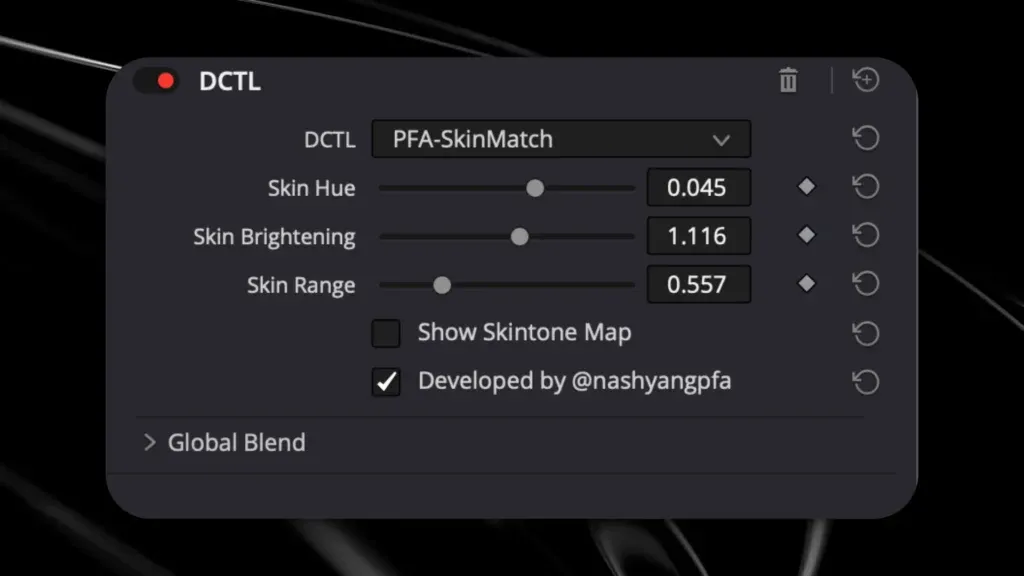
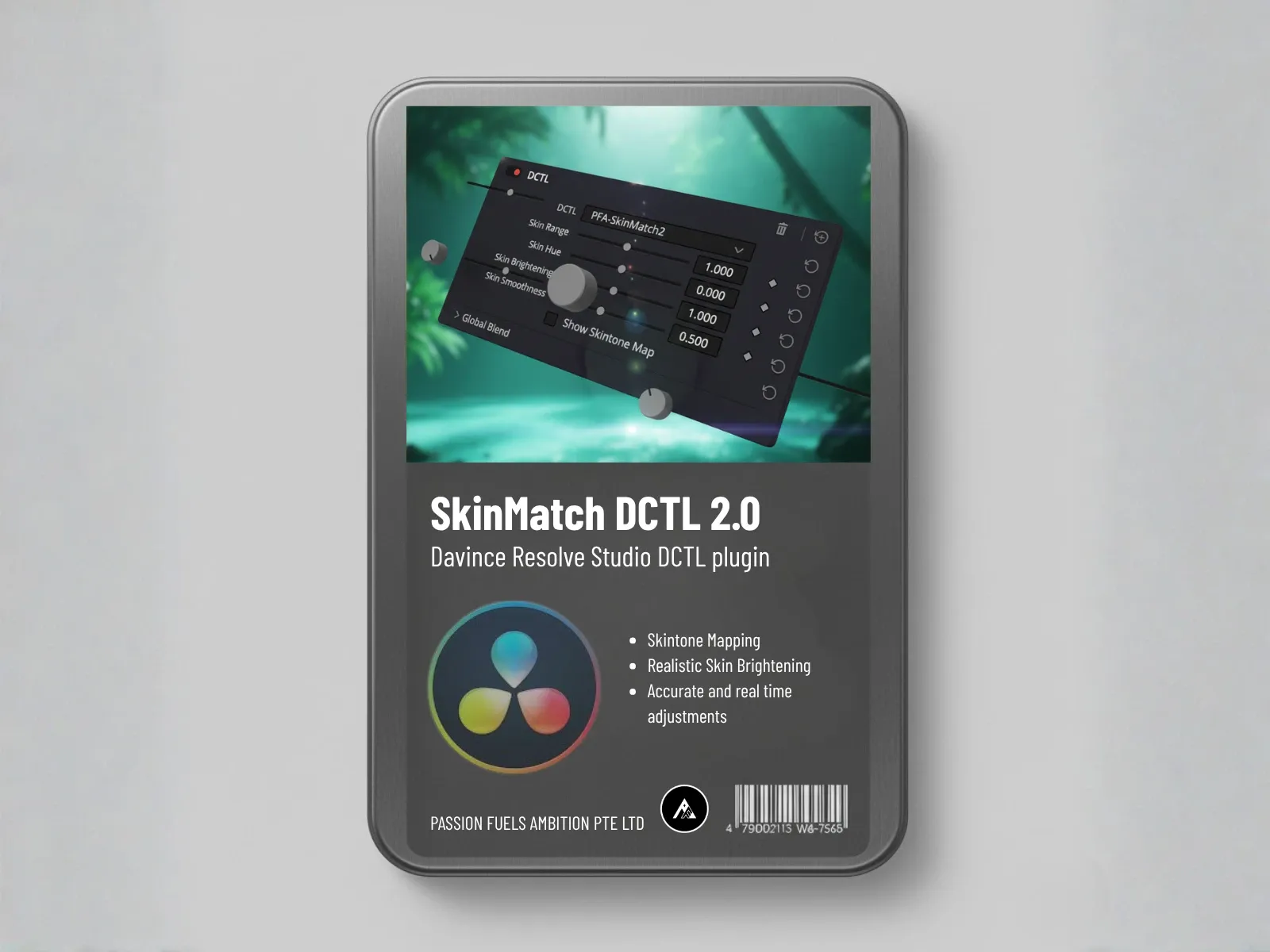
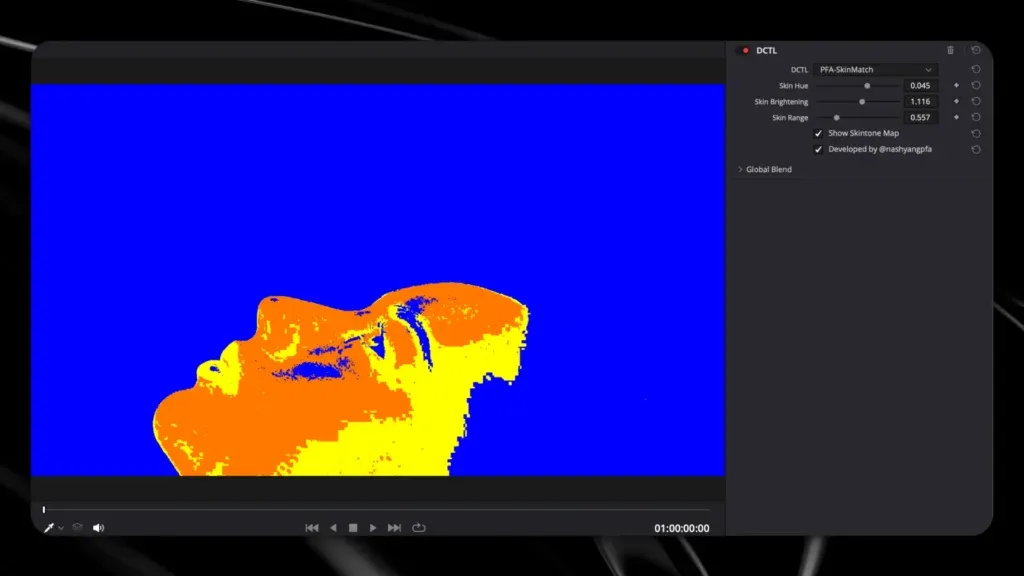
The SkinMatch DCTL uses an innovative visual mapping system to provide perfect skin tones. This DCTL tool replaces the need for subjective judgment by providing a clear skin tone indicator line on a specialized overlay. The tool’s underlying image analysis and adjustment engine simplifies the complex process of hue and saturation assessment. It provides a visual guide where the primary skin tone area is clearly demarcated, allowing the user to precisely adjust the hue and luminosity using dedicated slider controls until the target area is visually confirmed as correct.
The SkinMatch DCTL operates by analyzing anything that is inside saturation and luminance boundaries and hue that correspond to human skin. This process ensures consistent color and perfect skin results across various lighting conditions and cameras. Utilizing a sophisticated mapping algorithm, the DCTL provides a clear indication if the skin is falling within the acceptable hue range necessary for a natural look. This level of precise color control offers colorists a confidence boost when making final grading decisions.
3. DCTL vs. LUTs: Why is a SkinMatch DCTL Superior for Skin Tone Correction?
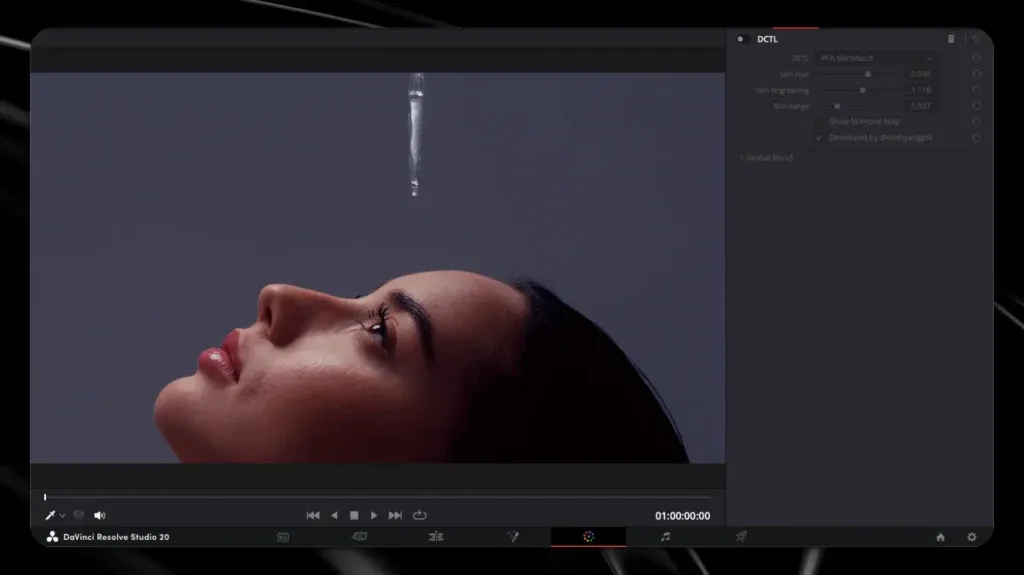
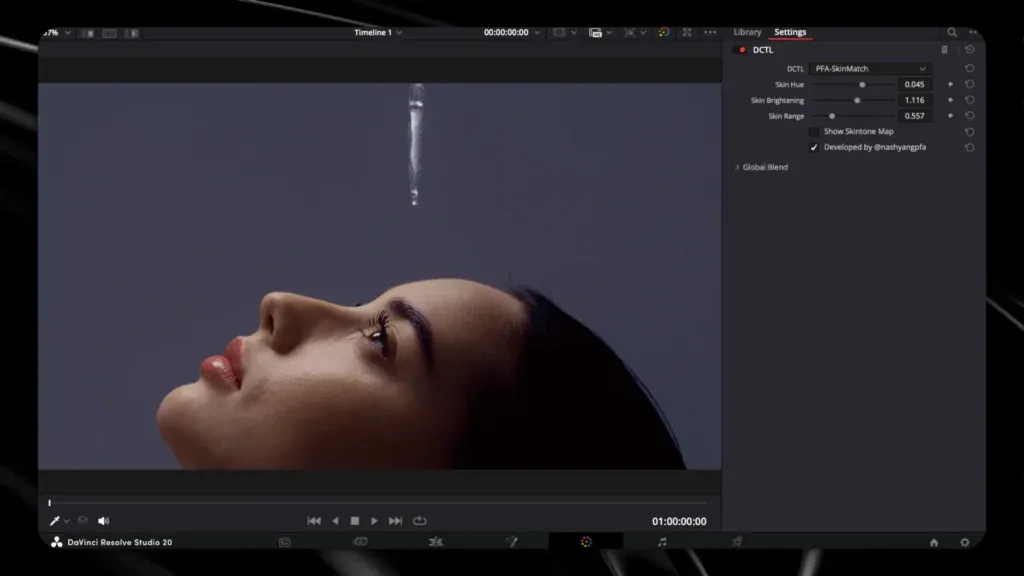
While both DCTLs and LUTs perform color transformations, the DCTL’s ability to use dynamic code makes it fundamentally superior for skin tone correction. A LUT is a static file; it applies the same math regardless of the input, making it prone to breaking skin tones or introducing artifacts if the original footage is over- or under-exposed. The SkinMatch DCTL, conversely, uses algorithms to intelligently process the image, making adjustments non-destructive and adaptable. This preserves detail and prevents clipping in light or dark areas,a capability far beyond that of a simple LUT.
Furthermore, a DCTL can contain complex functionality, acting as an all-in-one utility DCTL for a specific task. For example, our SkinMatch DCTL includes skin tone correction and smoothing features within a single node, simplifying the node tree. Competitive DCTLs like Mononodes also offer specialized functions, but SkinMatch DCTL provides a targeted, highly refined solution. This surgical approach, combined with the power of DaVinci Resolve, guarantees results far superior to any stack of standard LUTs.
4. How Do I Isolate the Skin for Precise Color Grading in DaVinci Resolve?
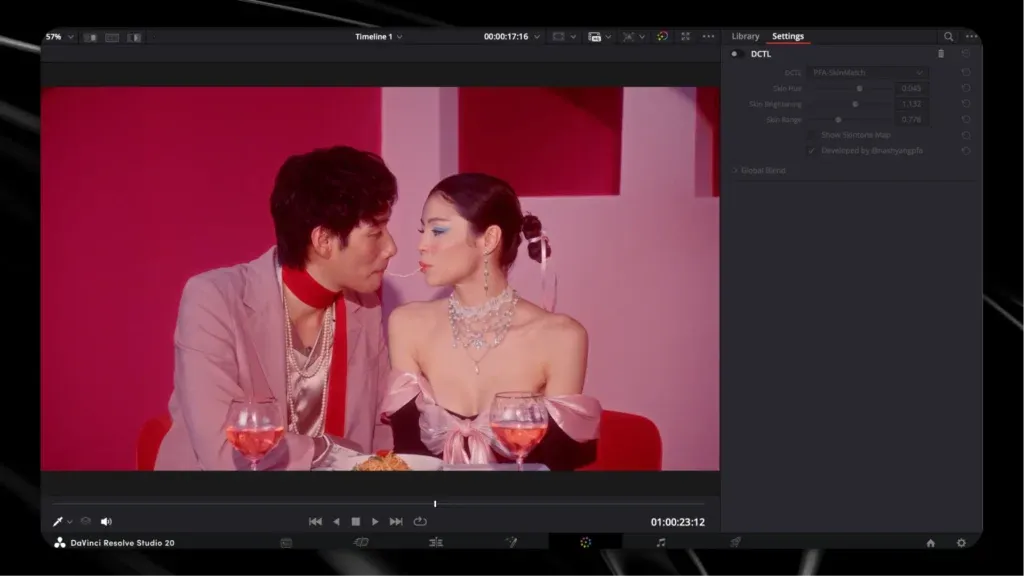
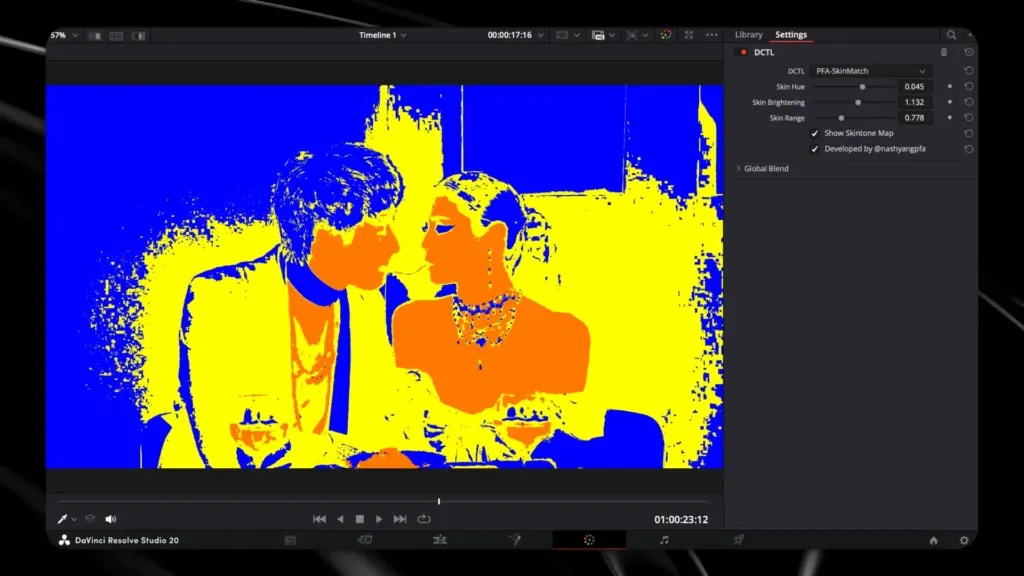
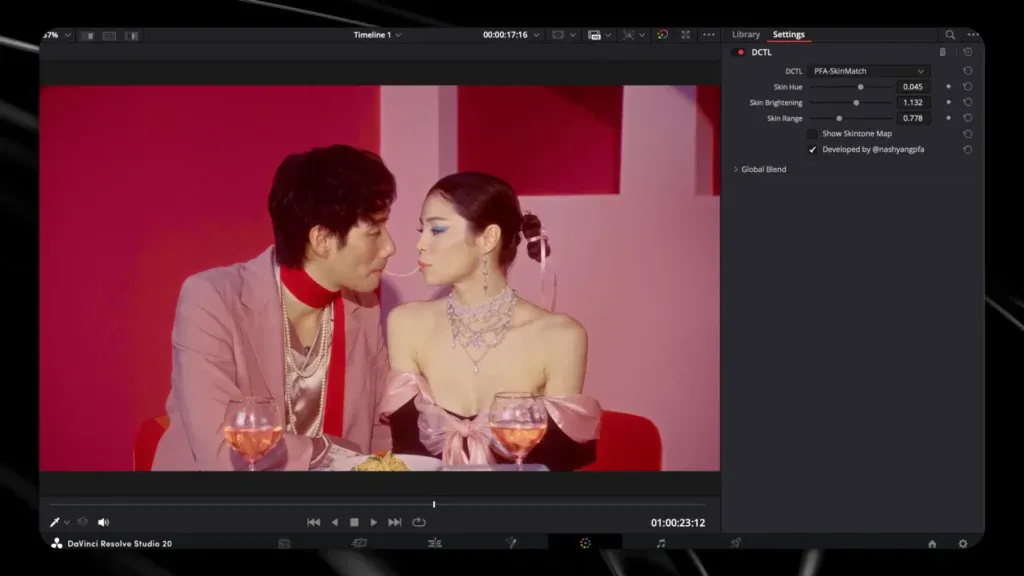
To achieve precise color and perfect skin tones, you must effectively isolate the skin from the rest of the image. The SkinMatch DCTL simplifies this process dramatically. Unlike manually drawing complex masks or using the imprecise qualifiers, the SkinMatch DCTL uses advanced mapping to automatically identify and isolate the human skin tone. This is where the DCTL truly shines as a dedicated isolator DCTL,it quickly identifies and targets the specific color space occupied by skin.
The internal logic of the DCTL is designed to focus on the necessary hue range while intelligently navigating the saturation and luminosity boundaries. This ensures that the applied correction is limited strictly to the skin, preventing unwanted shifts in background elements or clothing. By utilizing the built-in map, colorists can see exactly what the DCTL is targeting, offering immediate visual confirmation and total control over the isolation process within DaVinci Resolve.
5. Why is the Skin Tone Indicator Line Essential for Consistent Color?
The skin tone indicator line on the vectorscope is the benchmark for natural-looking skin tone. The SkinMatch DCTL translates this complex, abstract line into a simple, visual guide right in your viewer. The skin tone indicator line provides a definitive goal for color correction, and the DCTL’s visual mapping system lets you know when your adjustments have landed on target. The DCTL simplifies the alignment, allowing filmmakers to achieve consistent color across diverse setups.
This constant, simplified feedback allows for greater confidence in grading decisions. The SkinMatch DCTL essentially puts the intelligence of the vectorscope into a highly intuitive visual overlay. This is part of the tool’s effectiveness as a small DCTL for DaVinci, packing high-level functionality into a simple package. When the visual indicator confirms the skin tone line is hit, you know your foundation is solid, regardless of the camera used, even professional formats like ARRI LogC3.
6. Can I Achieve a Film Look and Retain Perfect Skin Tones with DCTLs?
Absolutely. The ability of DCTLs to be precise and non-destructive means you can achieve a dramatic film look while still retaining perfect skin tones. Many filmic looks involve complex shifts, such as adding split tone to the shadows or aggressively changing the overall color space. Without SkinMatch DCTL, these creative shifts often corrupt the skin, forcing tedious repair work later in the node tree.
By placing the SkinMatch DCTL strategically in your workflow,often after the initial CST (Color Space Transform) but before the final emulation look,you can isolate and protect the skin tone. This allows you to apply strong aesthetic changes, like deep blues in the shadows or aggressive saturation shifts, knowing that the most important color reference remains untouched and perfectly calibrated. The ability to apply creative grading without fear is what elevates the DCTL approach over standard LUTS.
7. How Does the SkinMatch DCTL Affect Saturation and Luminance?
The SkinMatch DCTL primarily focuses on hue and saturation but also impacts the overall perceived luminance and luminosity of the skin area. The DCTL works inside saturation and luminance boundaries and hue relevant to skin. This means that while it corrects hue, it also intelligently manages the saturation to maintain a natural, non-overprocessed look. The slider controls give you dedicated control over the brightness and texture of the skin.
This specialized control is crucial because simply increasing the saturation of the whole image can cause skin to look muddy or hyper-saturated. The SkinMatch DCTL ensures that the skin receives the exact necessary color correction while preserving the natural texture and not introducing clipping DCTL issues or excessive brightness in light or dark areas. This attention to detail is what defines a professional post-production result.
8. What is the Workflow for Integrating SkinMatch DCTL into Your Node Tree?
Integrating the SkinMatch DCTL into your node tree is simple. After installing the DCTL, you access it via the effects library in DaVinci Resolve Studio. The recommended basic workflow involves placing the SkinMatch DCTL after your initial white balance and middle gray corrections. This allows the tool to operate on footage that has already been neutralized. The DCTL itself functions as a dedicated node for skin tone correction.
This utility DCTL should be placed before your final creative look nodes or LUTs. By placing it here, you ensure the skin is perfectly calibrated before the final film look or stylized emulation is applied. For complex projects, you can use the DCTL in combination with other DCTLs, such as those for split tone or mononodes, further refining your creative choices without compromising the skin tone.
9. What are the GPU Benefits of Using a Small DCTL for DaVinci Resolve?
Performance is paramount in post-production. The SkinMatch DCTL is a small DCTL for DaVinci that provides significant GPU benefits. Because the DCTL utilizes native Blackmagic code for its complex mapping, it runs far more efficiently than attempting the same correction using multiple nodes, RGB channels, and secondary keying. This efficiency frees up GPU power, allowing filmmakers and video editors to experience faster playback and real-time responsiveness in Resolve.
This optimal workflow is key when working with high-resolution footage or applying multiple visual effects. The DCTL’s efficiency means less reliance on rendering caches and a smoother overall experience. The DCTL approach is a vital part of building a modern, high-performance workflow that maximizes the power of DaVinci Resolve Studio.
10. How Can I Access the SkinMatch DCTL Free Demo and Start Mastering Skin Tones?
Ready to achieve perfect skin tones? We offer a free demo of the SkinMatch DCTL as part of our bundle of DCTLs. This free demo allows you to test the full functionality and GPU performance on your own footage before making a commitment. Simply download the bundle from our website, follow the installation guide (which often involves placing the DCTL file into your system folder), and restart Resolve.
The free demo is a powerful way to experience the difference a specialized DCTL tool can make. While the free demo includes a watermark, its performance and functionality are identical to the full version, enabling you to confidently make informed grading decisions and finally achieve that high-end, filmic look you desire.
💡 Summary: Most Important Things to Remember
- SkinMatch DCTL provides a non-destructive, visually guided solution for achieving perfect skin tones that surpasses standard vectorscope checks and manual keying.
- The DCTL uses AI-powered mapping to translate the skin tone indicator line into simple, actionable visual feedback, ensuring consistent color.
- Using this DCTL tool drastically improves GPU performance and efficiency compared to stacking complex secondary node adjustments in Resolve.
- DCTLs are superior to LUTs for skin tone correction because they use dynamic, code-based color correction rather than static math.
Find Your Perfect Match with Skin Match DCTL!
Are you ready to elevate your skincare routine? Discover the transformative power of Skin Match DCTL and achieve flawless skin that radiates confidence. Don’t wait any longer,join the thousands who have unlocked their true beauty potential!
- The free demo DCTL bundle is available for you to test the full functionality and integration into your DaVinci Resolve Studio workflow before purchase.
What is the Skin Tone Tool in DaVinci Resolve?
The Skin Tone Tool in DaVinci Resolve is a feature designed to help colorists achieve accurate skin tones during color grading. It allows users to isolate skin tones in their footage, ensuring that colors appear natural and consistent. This tool is particularly useful when working with diverse skin tones, as it emphasizes ‘pure’ colors while preventing desaturation or unwanted hues.
How does the Skin Match DCTL work in color grading?
The Skin Match DCTL is a utility designed for color grading in DaVinci Resolve. It utilizes advanced algorithms to analyze skin tones and automatically adjust midtones to achieve a balanced look. By applying this DCTL, users can quickly match skin tones across different clips, facilitating a smoother workflow and ensuring visual coherence throughout the project.
Can I use DCTLS for isolating specific colors in my footage?
Yes, DCTLS can be employed to isolate specific colors in footage. For example, using the clipping DCTL, colorists can selectively adjust hues and saturation, enhancing or diminishing certain color ranges. This is particularly effective when working with grading to ensure that anything below is green and green and above is magenta, allowing for a more controlled color space.
What is a LUT, and how can it enhance my grading process?
A LUT, or Look-Up Table, is a powerful tool in color grading that maps one color space to another. By applying LUTs in DaVinci Resolve, you can achieve filmic looks or specific color grades efficiently. Using LUTs alongside DCTLS and the Skin Match DCTL can significantly streamline your grading workflow, allowing for quick adjustments and fine-tuning of colors.
What role does false color play in color grading?
False color is a technique used in color grading to visualize the exposure and contrast levels within an image. By applying false color overlays, colorists can easily identify areas that are overexposed or underexposed, such as ensuring that skin tones fall within the correct range. This tool aids in achieving a balanced exposure across midtones and highlights, enhancing the overall quality of the footage.
How can I access the Skin Match DCTL on GitHub?
The Skin Match DCTL can often be found on GitHub, where developers share their custom DCTLS for DaVinci Resolve. By searching for “Skin Match DCTL” on GitHub, users can access the code and download the utility, allowing them to implement it into their own color grading workflows. This open-source approach promotes community collaboration and continuous improvement of color grading tools.
What is the impact of desaturated colors on skin tones?
Desaturated colors can significantly affect the appearance of skin tones in video footage. When skin tones are desaturated, they may appear dull or lifeless, lacking the vibrancy that makes them visually appealing. Using tools like the Skin Match DCTL, colorists can ensure that skin tones maintain their richness without veering into unnatural territory, striking a balance in color grading.
How can I optimize my color grading workflow using DaVinci Resolve?
To optimize your color grading workflow in DaVinci Resolve, consider incorporating DCTLS and LUTs that suit your project’s needs. Utilize the Skin Tone Tool to ensure accurate skin representation and employ false color techniques to manage exposure. Additionally, regularly update your software and explore resources on GitHub for new utilities and enhancements that can streamline your grading process.
Further Reading
Related: PFA Color Suite | Shop | White Paper | Telegram
FAQ
Is there a free trial available?
Yes! Download the free trial and test all features on your own footage.
What software is supported?
PFA Color Suite works in DaVinci Resolve, Premiere Pro, and After Effects via OpenFX support.
Is technical support included?
Yes, all purchases include email support and access to our Telegram community.
🎨 Ready to Grade Like a Pro?
Transform your footage with professional color grading tools used by industry experts.
No credit card required • Unlimited access • Professional results
👨💻 About the Author
Passion Fuels Ambition is a Singapore-based production company specializing in cinematic color grading and professional videography. Our team has worked on award-winning films, luxury brand campaigns, and corporate productions across Southeast Asia.
We’re the creators of PFA Color Suite , professional color grading tools used by filmmakers worldwide. Our mission is to democratize cinematic color through education, tools, and community.
Want to grade like a pro?
- 🎬 Try PFA Color Suite Free , Professional tools, unlimited access
- 📚 Read More Tutorials , Free color grading guides
- 💬 Join Telegram Community , Connect with colorists
- 🛒 Visit Our Shop , DCTLs, LUTs, and resources
📖 Related Reading
Continue your color grading journey:
- Color Grading for Beginners , Complete starter guide
- PFA Color Suite , Professional grading plugin
- CST vs LUT , Technical deep dive
- Shop , DCTLs, LUTs, and resources
- Telegram Community , Connect with colorists